
Beta release - Jellyfin, Emby, SMB, DLNA and more...
Hi Everyone again
This is hopefully the last release before I push a full default release. I've added some major updates for network browsing, added some other requested features and fixed lots more bugs. Hopefully this will be the most stable and feature packed version yet.
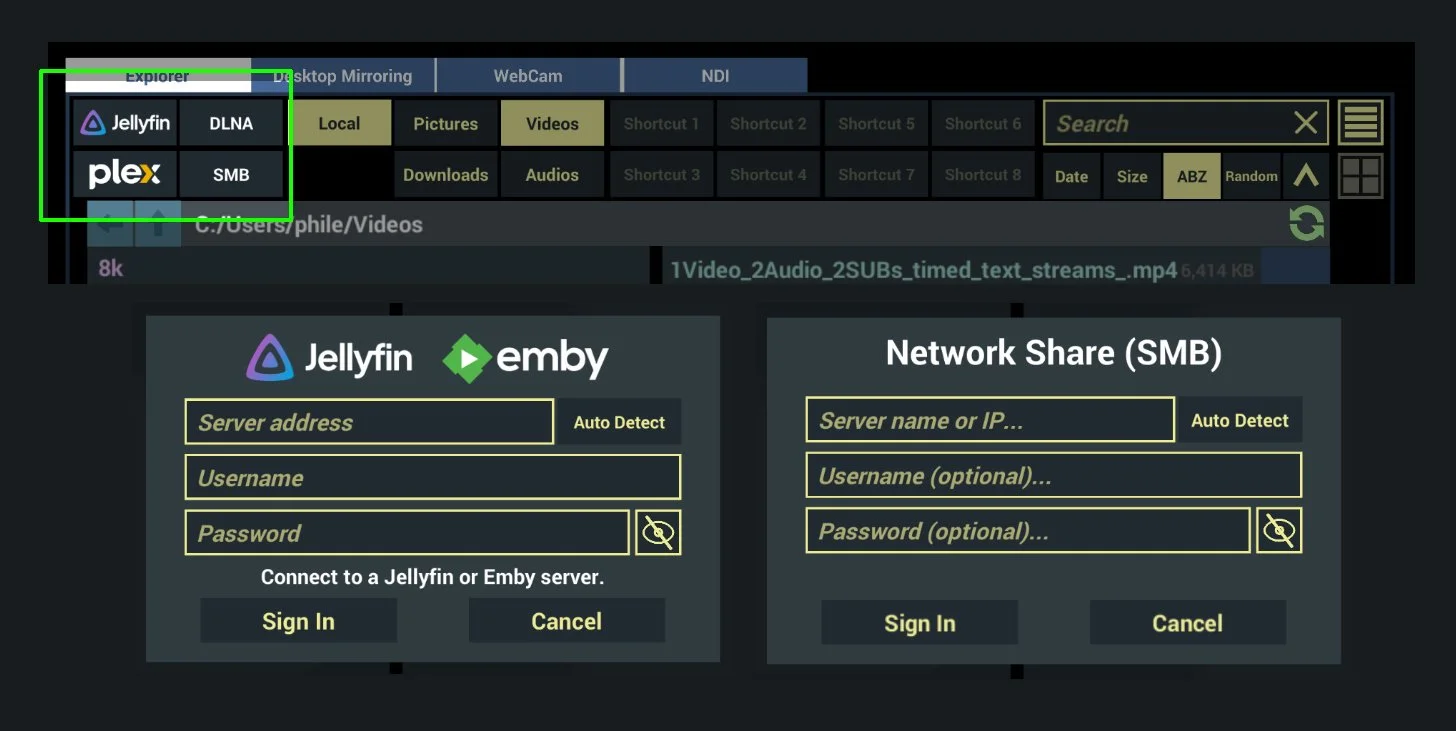
Network browsing
Plex (including remote play)
Jellyfin/Emby (Auto detect your local servers)
SMB (Auto detect your local shares)
DLNA (Automatically connect to local shares)
Network browsing has been an often-requested feature for Whirligig, especially the standalone versions. I now have the tools and the time to implement it and this is the culmination of my efforts. I've added all the requested types of share and tested on my limited system. Things seem to be working well but if you have issues, requests or questions let me know.
3D Environment Fades
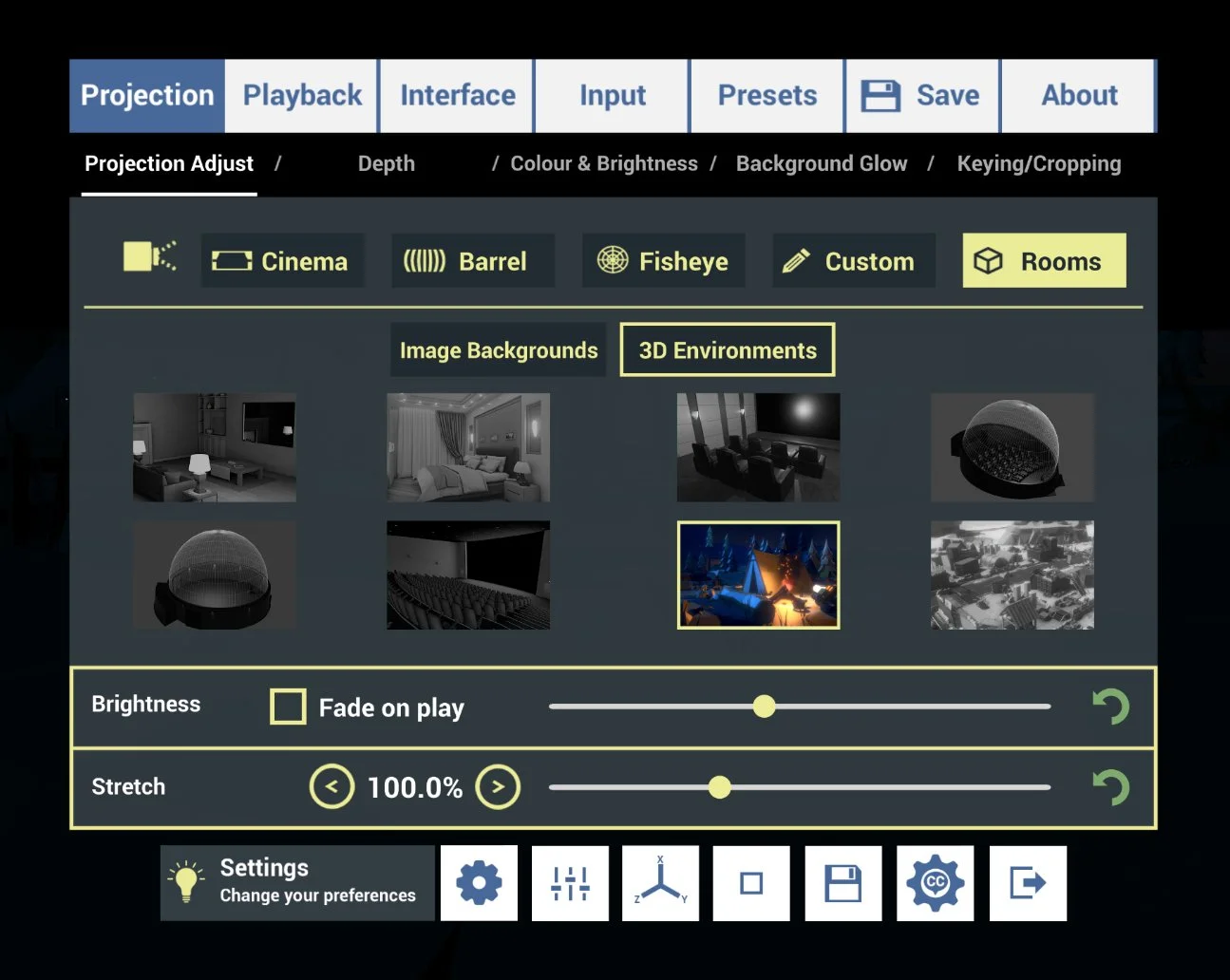
In 2D Environments I have an option to fade the environment when playing videos for better comfort. I've now added this to the 3D environments as well.
Settings/Projection/Projection Adjust
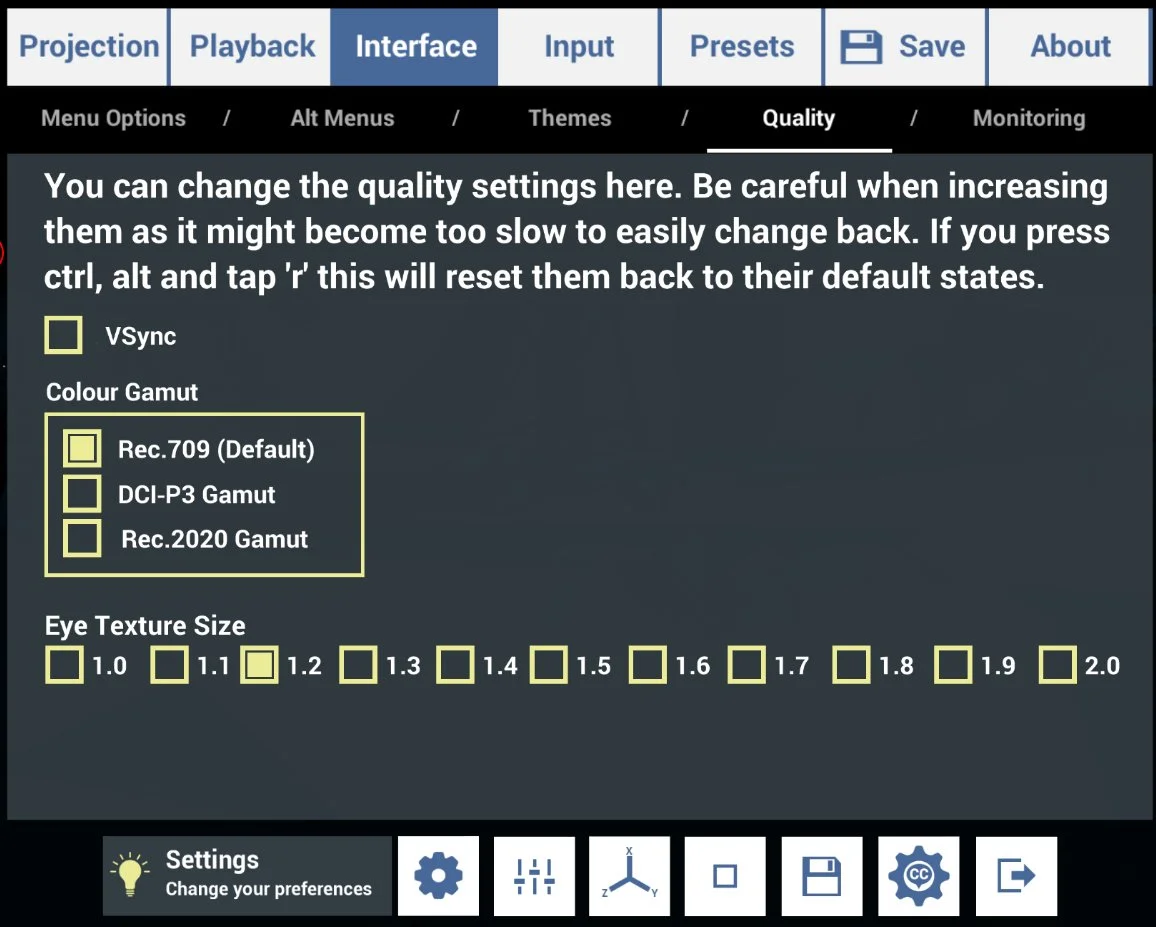
Colour Gamut Options added
A requested feature was Colour Gamut controls for getting better colour replication when on certain headsets or videos. I've added this to the Quality's menu.
Settings/Interface/Quality
Settings Preset saves
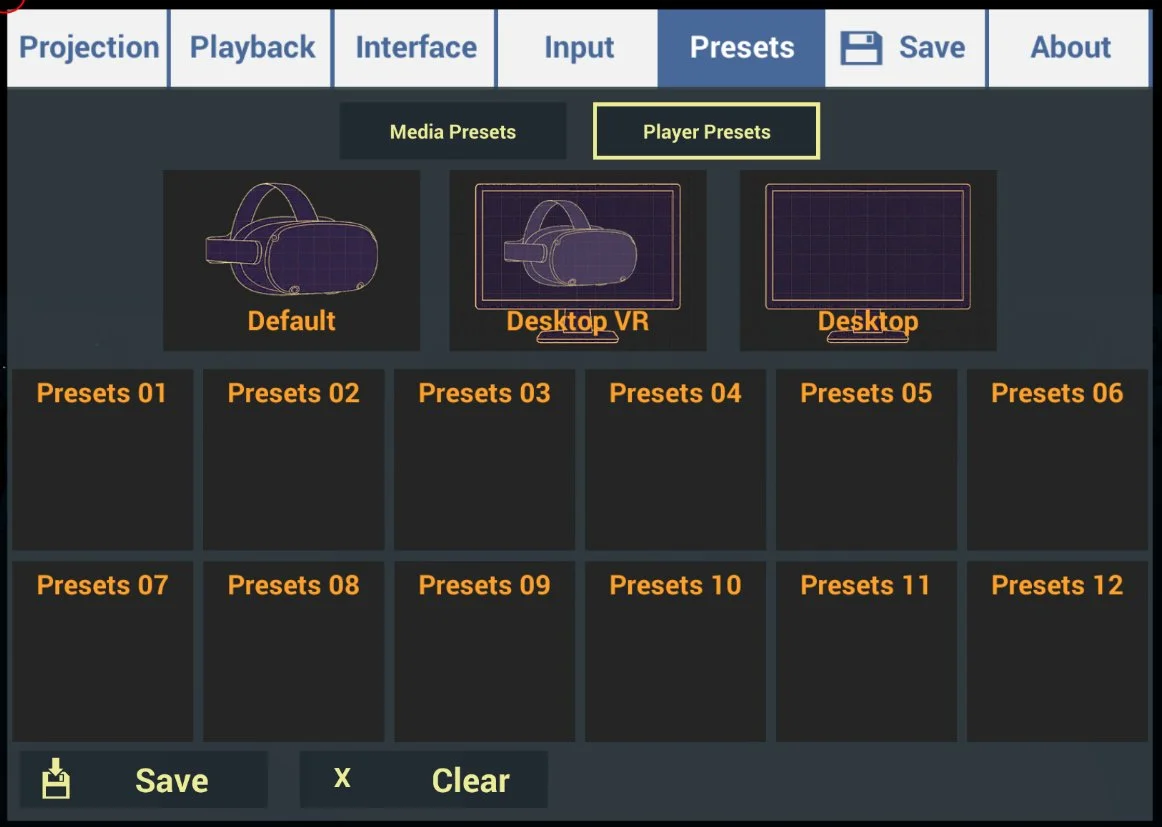
Whirligig has a way to save presets for your films so you can return to your perfect setup. I felt that this would be a good option for the Player Settings also. So I've added it:
You can also see that there are a few pre built presets. Whirligig works very well on the desktop as well as the headset and can work well without a VR headset entirely. For that reason I've provided three options.
Settings/Presets
Default
This is what the settings are set to when you first install the player.
Desktop VR
This provides an option that is designed to work well in VR (VR is mostly unchanged) and some ease of use for desktop use. This extends to making the desktop independent, unlocking the mouse from the window etc.
Desktop
This is designed for systems that don't have VR support at all. Whirligig can be used as a 360 degree player with all the extended options that the VR setup brings but also sets up the Player so that it will work well as a screen based player such as VLC.
Bug fixes
I've done my best to fix as many bugs as I come across for this release. Here is just a few.
Fixed the Subtitles on/off control not toggling subtitles when bound to an input
Fixed crashes when browsing DLNA and SMB network shares
Fixed the laser pointer being blocked by backdrop colliders
Fixed file explorer issues (menu sizing and opening)
Fixed the video progress bar when using presets
Fixed the mouse cursor interfering on standalone (Quest/Pico) startup
Fixed the remote control failing to connect on standalone builds
Fixed stereo separation in cinema mode for 3D content
Standalone Releases (Meta Quest 2/3, Pico4VR)
All these features have been worked on across platforms and I've released updated versions for both the Meta and Pico headsets. I currently have a policy that respects your purchase across platforms, so if you want to have Whirligig on the Horizon store or Itch.io for Pico please email me and I'll send a code over phileday@yahoo.co.uk
As I'm also looking for people to try the new features on the Standalone platforms I'm also giving away codes for those platforms. So if you don't have Whirligig yet and would like to help me test everything new coming into it, fire over an email as well.
And finally
Thanks for everyone who continues to enjoy using Whirligig. I'll continue to add features as you continue to ask for them. If you have found using Whirligig a good experience a positive review is always welcome. I look forward to hearing your thoughts on this update :).
All the best, keep cool and happy watching.
Phil